
By mid-afternoon, a lot of screen workers know the feeling: tight neck, achy shoulders, dry or tired eyes and a mild headache creeping in behind the eyebrows. It’s easy to assume the problem is bad posture or that screens are damaging your eyes. The reality is more nuanced, and the fix is simpler than most gadgets suggest.
This guide explains what’s actually going on and gives you a short, realistic routine for your body and your eyes.
What Screens Do to Your Eyes
The American Academy of Ophthalmology says that using computers, phones and other displays has not been shown to cause permanent eye damage. What it can cause is digital eye strain, sometimes called computer vision syndrome, a group of temporary symptoms: dry or watery eyes, blurred vision, tired eyes and headaches.
The main culprits are straightforward:
- Less blinking. People normally blink around 15 times a minute, and the rate can drop by about half when staring at a screen. Blinking spreads tears over the eye, so fewer blinks mean more dryness.
- Prolonged close focus. Looking at something near for hours keeps the focusing muscles working without a break.
- Glare, poor lighting and awkward screen placement. These force the eyes to work harder.
What Screens Do to Your Body
Back and neck discomfort at a desk is common, but researchers haven’t found one “perfect” posture that prevents it. Many physiotherapists now stress that staying in any one position for too long is the bigger issue. Your body is built to move, and stiffness builds when you don’t.
That means the aim isn’t to sit like a statue with a ruler-straight spine. It’s to set up your workspace reasonably well and change position often.
Step One: Set Up Your Workspace
A few adjustments take ten minutes and make a daily difference.
Screen
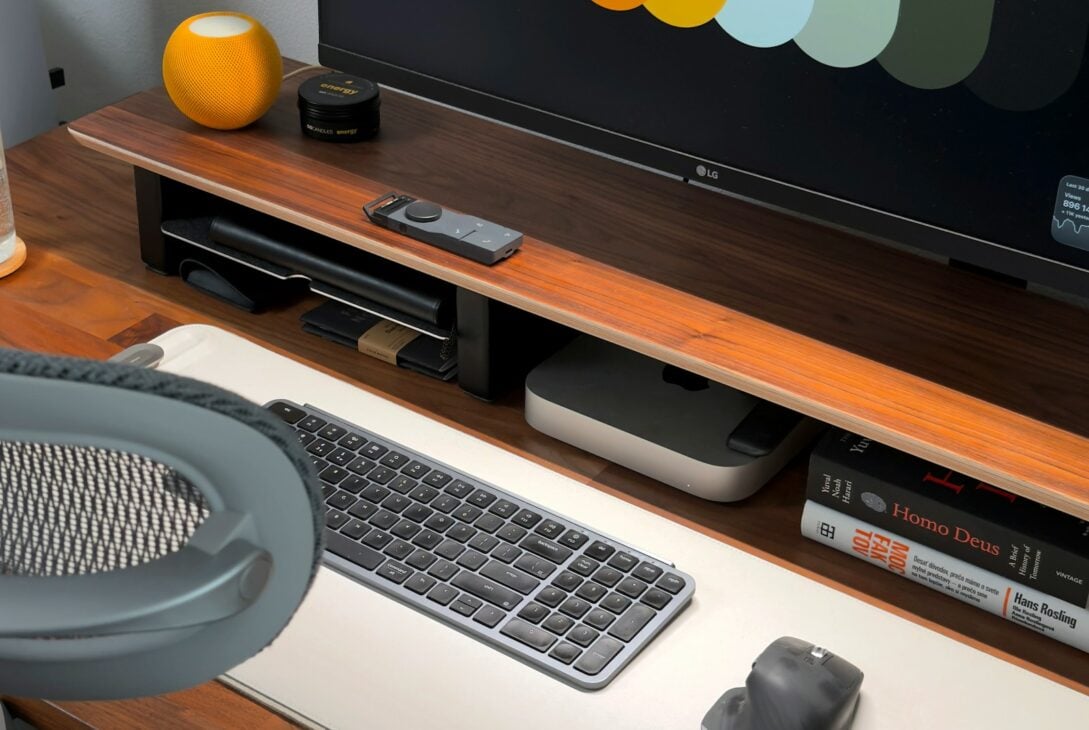
- Place the screen about an arm’s length away, roughly 50 to 65 centimeters (20 to 25 inches).
- Position the top of the screen at or slightly below eye level, so you look slightly downward.
- Reduce glare by angling the screen away from windows, using blinds or choosing a matte screen filter.
- Match screen brightness to the room around you. It shouldn’t look like a lamp in a dark room or a dim panel in bright light.
- Increase text size if you find yourself leaning forward to read.
Chair and body
- Keep your feet flat on the floor or on a footrest.
- Knees should be roughly level with or just below your hips.
- Support your lower back with the chair’s backrest or a small cushion.
- Keep your elbows near your sides at around 90 degrees, with wrists in a neutral position.
Laptops
Laptops force a trade-off: a screen at the right height puts the keyboard too high. If you use one for long periods, raise it on a stand or a stack of books and use a separate keyboard and mouse.
Step Two: Protect Your Eyes
Use the 20-20-20 rule
Every 20 minutes, look at something about 20 feet (6 meters) away for at least 20 seconds. Eye doctors and optometry associations widely recommend it. The evidence is limited, but a small study that used reminders found people had fewer eye strain and dry eye symptoms. Even if the exact numbers aren’t magic, regular breaks from close focus clearly help.
Blink on purpose
During your 20-second break, blink fully several times. Some eye specialists suggest a few slow, firm blinks to spread tears across the eye surface.
Manage dryness
- Keep the air from blowing directly at your face.
- Consider a humidifier in very dry rooms.
- Try preservative-free artificial tears if your eyes feel dry. Ask an eye professional if you need them often.
- Drink water regularly, though diet alone won’t fix screen-related dryness.
Skip the blue light gimmicks
Evidence so far doesn’t support blue-light-blocking glasses as a treatment for eye strain or as protection against eye damage. Breaks, placement and lighting are more useful, and cheaper.
Get your eyes checked
Uncorrected vision problems are a common cause of eye strain. If you squint, get frequent headaches or have not had an eye exam in a couple of years, book one. If you use computer glasses or varifocals, tell your optician how far away your screen sits.
Step Three: A Five-Minute Movement Reset
Do this once or twice a day, or in smaller pieces whenever you stand up. Move gently and stop if anything hurts.
- Stand and walk for one minute. Get a drink or step outside.
- Chin tucks (10 repetitions). Sitting or standing tall, gently draw your chin straight back as if making a double chin. Hold for two seconds. This counters the forward-head position common at screens.
- Shoulder blade squeezes (10 repetitions). Pull your shoulder blades back and down, hold for three seconds and release.
- Chest opener (30 seconds). Clasp your hands behind your back or place your hands on a doorframe and gently lean forward to stretch the front of your shoulders.
- Upper back extension (5 repetitions). Interlace your fingers behind your head and gently arch backward over the back of your chair.
- Neck turns and side tilts. Slowly turn your head each way, then tilt an ear toward each shoulder, holding 15 to 20 seconds without forcing it.
- Hip flexor stretch (30 seconds per side). Step one foot back in a lunge and gently press your hips forward, since sitting shortens the front of the hips.
- Wrist and forearm stretches. Extend one arm, palm up, and gently pull the fingers back with the other hand for 15 seconds. Repeat with the palm down.
Step Four: Build Movement Into the Day
- Change position every 30 to 60 minutes. Stand, walk or stretch. Set a timer if you forget.
- Alternate sitting and standing if you have an adjustable desk, but don’t stand rigidly all day either. Variety is the goal.
- Take phone calls on foot.
- Walk at lunch. Even ten minutes helps, and daylight is good for your eyes and mood.
- Strengthen your back and core with regular exercise. A body that’s strong in a range of positions tolerates desk work better.
Common Mistakes
- Chasing perfect posture. Constantly forcing a rigid position is tiring and unnecessary.
- Buying gadgets instead of building habits. A fancy chair won’t help if you never move.
- Working with a laptop on your lap or in bed. Awkward positions add strain.
- Ignoring symptoms. Persistent pain, numbness or vision changes deserve attention.
When to See a Professional
See a doctor, physiotherapist or eye specialist if you have:
- Neck or back pain that lasts for weeks or keeps getting worse
- Pain, numbness or tingling that runs into the arms or legs
- Frequent or severe headaches
- Flashes of light, new floaters, sudden vision changes or eye pain
- Symptoms that interfere with sleep or daily life
Frequently Asked Questions
Does bad posture cause long-term damage?
Evidence is mixed. Poor setups can cause discomfort, but there’s no proof that slouching alone leads to serious disease. Moving often and building strength are sensible protections.
Do I need a standing desk?
No. It can help add variety, but frequent movement matters more than the furniture.
Is dark mode better for my eyes?
It’s a matter of comfort. Choose whichever you find easier to read, and make sure the brightness suits the room.
How long should my breaks be?
A 20-second eye break every 20 minutes and a couple of minutes of movement every hour is a good starting point.
Conclusion
Screen-related aches and tired eyes mostly respond to small, repeated actions: a sensible setup, frequent glances away from the screen and regular movement. Set a timer for the next hour, and when it rings, blink, look out the window and stand up. That tiny habit is the core of the whole routine.
This article offers general information, not medical advice. If you have persistent pain or vision problems, consult a qualified professional.