
A few years ago, “handheld gaming” mostly meant one thing: a small console with a small library. Today you can carry a device in your bag that runs thousands of PC games, or pick up a Nintendo system that also docks to your TV. Meanwhile the traditional living-room console is still the simplest way to play on a big screen. So which should you buy?
The answer depends less on specs than on how and where you play. This guide walks through the options and who each one suits. Prices and availability in this market move quickly, so check current listings before buying.
The Three Main Choices
- A home console: a box that plugs into your TV, such as a PlayStation or Xbox.
- A hybrid console: Nintendo’s Switch 2, which works as a handheld and docks to a TV.
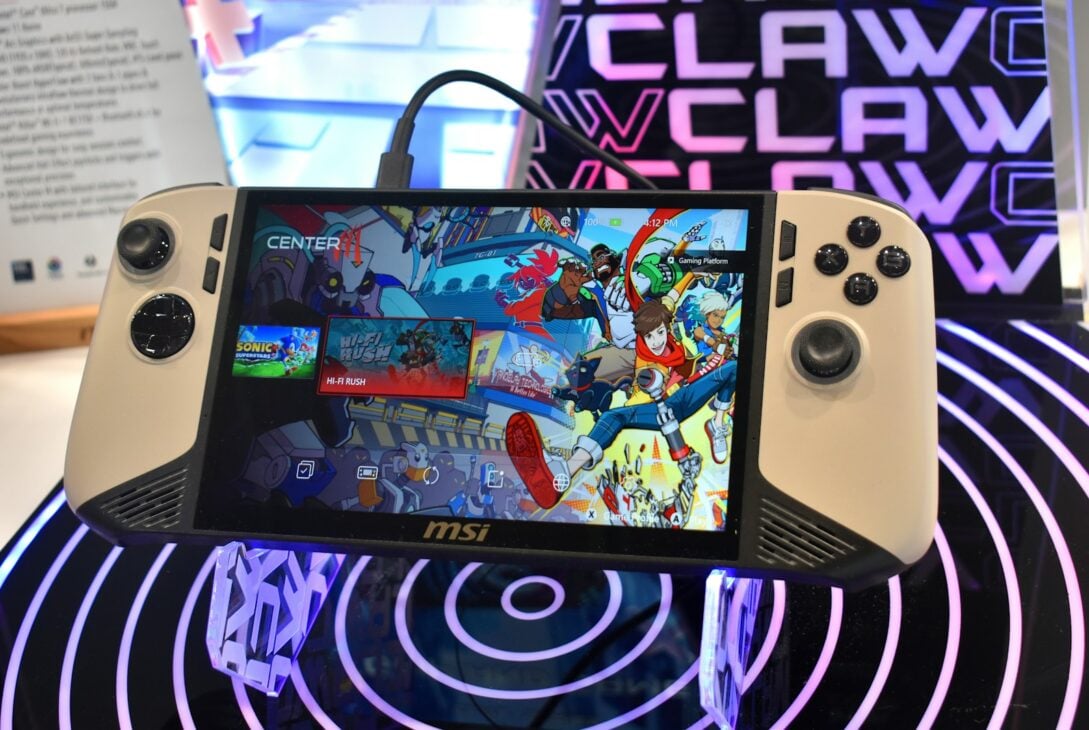
- A handheld gaming PC: a portable computer built for games, such as Valve’s Steam Deck OLED, the ASUS ROG Xbox Ally family or Lenovo’s Legion Go 2.
What’s on the Market in Late 2026
Reports from autumn 2026 describe a market where prices have risen. Here are the main points, based on published figures at the time of writing. Treat them as a snapshot, since listings differ by country and retailer.
- Nintendo Switch 2: launched in June 2025 at 449.99 US dollars, and Nintendo raised the US price to 499.99 on 1 September 2026.
- Steam Deck OLED: Valve raised prices in May 2026. Reports put the 512GB model at around 789 US dollars and the 1TB model at around 949. Valve has not confirmed a successor.
- ROG Xbox Ally: a Windows-based handheld from ASUS and Xbox that launched in October 2025 at about 599 US dollars, with a more powerful ROG Xbox Ally X priced at roughly 999.99.
- Lenovo Legion Go 2: a larger handheld with detachable controllers. Pricing reports vary widely between sources, so verify before considering it.
Prices for home consoles also change over time, so check current retailer listings.
Handheld Gaming PCs: Freedom and Tinkering
Strengths
- Huge game access. Handheld PCs can run games from PC storefronts. The Steam Deck uses SteamOS and focuses on your Steam library. Windows-based devices like the ROG Xbox Ally can install multiple launchers.
- Frequent sales and older games. PC games are often discounted, and a large back catalog runs well on modest hardware.
- Customization. You can adjust graphics, controls, performance and often modify games.
- More than gaming. They’re real computers, so you can browse, use emulators for older systems you legally own games for, or connect a keyboard and monitor.
Weaknesses
- Higher price. Prices have climbed, and top models cost more than many home consoles.
- Battery life. Demanding games can drain batteries in a couple of hours.
- Compatibility. Some games, especially those with certain anti-cheat systems, don’t work on every device or operating system.
- Tinkering required. Settings, updates and troubleshooting can be fiddly, especially on Windows handhelds.
- Weight and heat. They’re heavier and warmer than phones, and fans can be noisy.
Nintendo Switch 2: Simplicity and Exclusives
Strengths
- Nintendo’s own games, which aren’t available anywhere else.
- Plug-and-play simplicity. Everything works without tweaking settings.
- Flexible play. It works as a handheld, a TV console or on a tabletop, with detachable controllers that make local multiplayer easy.
- Family-friendly library, with many titles suited to children and mixed-age groups.
- Lighter and easier to carry than most handheld PCs.
Weaknesses
- Games rarely go on sale as aggressively as PC games, and first-party titles hold their price.
- Less raw power than the strongest handheld PCs.
- A closed ecosystem, with fewer ways to customize or play outside Nintendo’s platform.
Home Consoles: The Big-Screen Experience
Strengths
- Simple, reliable and powerful. Turn on, pick a game and play.
- Great for living-room play, whether solo, with friends or with the family.
- Strong exclusives and big-budget releases from each platform holder.
- Subscription services that bundle online play and game catalogs, if you want them.
Weaknesses
- Not portable. It stays by the TV.
- Games can be pricey at launch, though older titles drop in price.
- Less flexibility, since you can’t use it as a general-purpose computer.
Who Should Buy What?
You mainly play at home on a TV
A home console is usually the best value and the simplest experience. If you want portability occasionally, a hybrid makes sense.
You travel or commute and want to play on the go
A handheld is the obvious choice. Pick the Switch 2 if you want simplicity and Nintendo games. Pick a handheld PC if you want a big PC library and don’t mind the higher price and tinkering.
You already own a gaming PC with a big Steam library
A Steam Deck-style device lets you take that library with you, often with cloud saves syncing your progress.
You play with children or in a family setting
The Switch 2 or a home console suits families best, thanks to easy multiplayer, parental controls and age-appropriate libraries.
You love older and indie games
A handheld PC is excellent for this, as many indie and classic PC games run well on modest hardware, with frequent sales.
You’re on a tight budget
Consider your existing devices first. A used or refurbished console, a lower-priced handheld or a PC controller can be cheaper options. Don’t forget to count the price of games, accessories and any subscription.
The Hidden Costs
- Games. You’ll spend more on games over time than on the hardware.
- Storage. Modern games are large. Memory cards or SSD upgrades add up.
- Accessories. Cases, chargers, docks and controllers cost extra.
- Online services. Some platforms charge for online multiplayer.
- Repairs and warranty. Check the warranty and how easy the device is to repair.
Questions to Ask Before You Buy
- Where will I play most: at home, on the move or both?
- Which games do I actually want to play, and which platforms have them?
- Do I enjoy tinkering, or do I want it to just work?
- Do I need local multiplayer or family-friendly options?
- What’s my total budget, including games?
- How important are battery life, weight and screen quality?
Cloud Gaming and Other Options
Cloud gaming services stream games from remote servers to many devices, which can reduce the need for powerful hardware if you have a fast, stable internet connection. Latency and connection quality can affect the experience, and game libraries and subscription prices vary. It’s worth a free trial before relying on it.
Frequently Asked Questions
Is a handheld PC better than a console?
Not universally. It offers more flexibility and a bigger library but costs more and needs more tinkering. A console wins on simplicity and value.
Will prices drop?
Maybe, but 2026 saw rises as well as discounts. If you need one now, compare retailers and look at refurbished options. If you can wait, watch for sales and new models.
How long will a handheld last?
Hardware often lasts several years, but demanding new games can outgrow it. Battery wear is another factor.
Can I use a handheld PC with a TV?
Yes, usually through a dock or cable, with a controller or keyboard.
Conclusion
There’s no single best device, only the best fit for your habits. Write down where you play, which games matter most and how much tinkering you enjoy, then compare current prices. That short exercise will point to the right choice faster than any spec sheet.
Prices and product details in this article reflect reports from late 2026 and may change. Confirm current prices and compatibility with the manufacturer or retailer before buying.