
Mechanical keyboards won’t magically improve your gaming skills overnight. I spent $180 on a “gaming” keyboard before learning what actually matters.
The mechanical keyboard market thrives on myths and misconceptions repeatedly. Understanding the real differences helps you buy smarter and play better.
1. Switch Color Doesn’t Determine Gaming Performance
Cherry MX Red switches get marketed as “gaming switches” universally. However, no scientific evidence supports linear switches being superior for gaming.
Additionally, professional gamers use every switch type imaginable without clear patterns. Some prefer tactile browns, others use clicky blues successfully.
Switch preference is entirely personal and depends on typing style. What feels good to you matters infinitely more than marketing claims.
The actuation point matters more than switch color or type. Faster actuation reduces the distance required to register key presses.
I tested reds, browns, and blues extensively in competitive games. My performance stayed identical across all three switch types consistently.
| Switch Type | Actuation Force | Actuation Point | Sound Level | Gaming Advantage |
|---|---|---|---|---|
| Cherry MX Red | 45g | 2mm | Quiet | None |
| Cherry MX Brown | 45g | 2mm | Moderate | None |
| Cherry MX Blue | 50g | 2.2mm | Loud | None |
| Cherry MX Speed | 45g | 1.2mm | Quiet | Minimal |
2. Actuation Point Actually Matters
Standard mechanical switches actuate at 2mm of key travel. Speed switches reduce this to 1.2-1.4mm for faster registration.
This 0.6-0.8mm difference saves approximately 5-10ms in key response time. That advantage compounds across hundreds of inputs per match.
However, shorter actuation increases accidental key presses during resting fingers. You’ll make more mistakes until muscle memory adapts completely.
Professional players report minimal real-world benefit from speed switches. The theoretical advantage rarely translates to measurable performance improvements.
I switched to speed switches and immediately had accidental input problems. After two weeks of adaptation, I felt no performance difference.
3. N-Key Rollover Matters Less Than Advertised
N-key rollover (NKR) allows simultaneous key presses to register independently. Gaming keyboards advertise this feature as essential for competitive play.
Most games require 3-4 simultaneous inputs maximum during gameplay. Full NKR handles 10+ simultaneous presses you’ll never actually use.
6-key rollover (6KRO) provides sufficient capability for every gaming scenario. Anything beyond that is marketing excess without practical application.
Anti-ghosting prevents missed inputs when multiple keys are pressed. This matters more than theoretical simultaneous press counts practically.
I tested my keyboard’s limits by pressing 8 keys simultaneously. I’ve never needed more than 4 keys during actual gameplay.
4. Polling Rate Provides Real Advantage
Polling rate determines how frequently your keyboard reports to the computer. 1000Hz polling checks for inputs every millisecond versus 125Hz every 8ms.
This creates a 7ms advantage in input reporting speed. Combined with reduced actuation, you gain 12-17ms total advantage theoretically.
However, USB bandwidth limitations can cause issues with multiple high-polling devices. Running keyboard, mouse, and headset all at 1000Hz sometimes causes conflicts.
Most players can’t perceive differences between 500Hz and 1000Hz. The advantage exists but falls below human perception thresholds typically.
I switched from 1000Hz to 500Hz and noticed absolutely nothing. The theoretical advantage doesn’t translate to noticeable performance differences.
5. Keycap Material Affects Feel More Than Performance
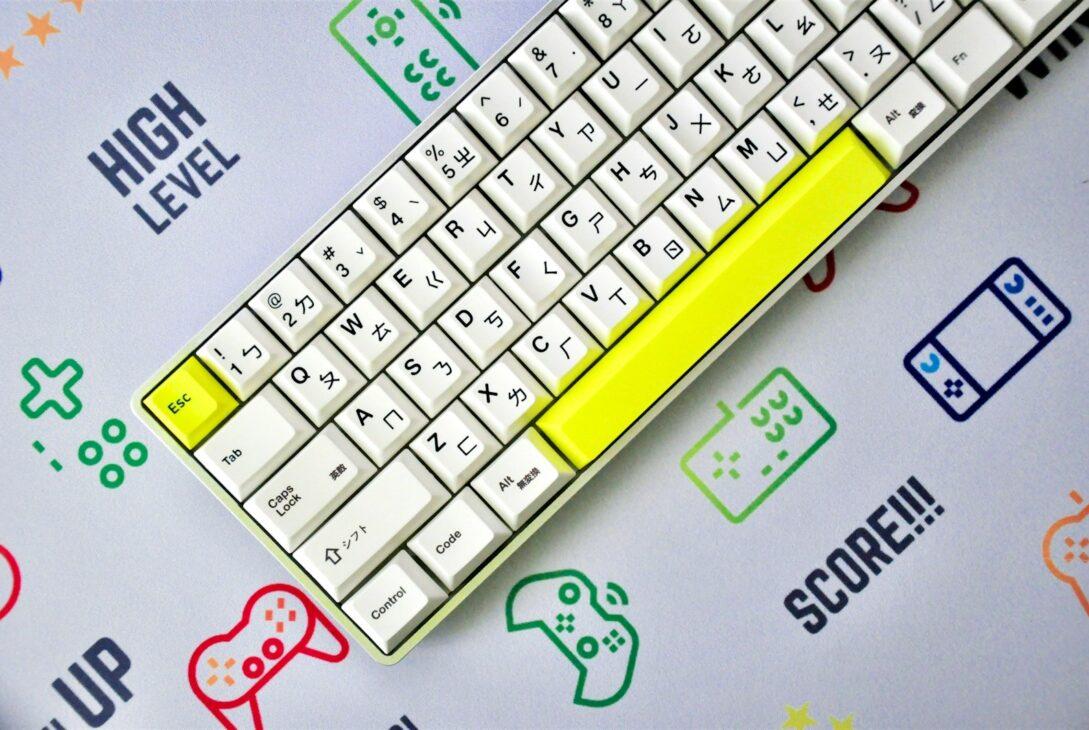
ABS plastic keycaps wear smooth and develop shine quickly. PBT plastic resists wear and maintains texture for years longer.
Additionally, PBT keycaps feel more premium with better sound dampening. They create a deeper, more satisfying typing sound profile.
Keycap profile (OEM, Cherry, SA, DSA) affects comfort significantly. Different profiles change the typing angle and finger reach distance.
None of these factors improve gaming performance measurably whatsoever. They only affect comfort and aesthetic satisfaction during use.
I upgraded to PBT keycaps and loved the feel improvement. My gaming performance remained completely unchanged despite better tactility.
6. Wireless Adds Minimal Lag Now
Modern wireless gaming keyboards use 2.4GHz connections with 1ms latency. This matches wired USB polling performance in blind testing.
Furthermore, wireless eliminates cable drag that can affect mouse movement. The desk clutter reduction provides genuine practical benefits.
Battery concerns diminish with 200+ hour battery life standards. Most wireless keyboards last weeks between charges during normal use.
Professional tournaments still mandate wired connections for reliability guarantees. However, wireless performs identically in home gaming environments.
I switched to wireless and can’t tell any latency difference. The cable-free desk setup improves my overall gaming experience.
| Connection Type | Latency | Reliability | Convenience | Tournament Legal |
|---|---|---|---|---|
| Wired USB | 1ms | Excellent | Low | Yes |
| 2.4GHz Wireless | 1ms | Excellent | High | No |
| Bluetooth | 7-15ms | Good | High | No |
7. Hot-Swap Sockets Change Everything
Hot-swappable keyboards let you change switches without soldering. This enables customization and repairs without technical expertise required.
Additionally, you can test different switches easily before committing. Buy a switch tester, find your preference, then swap accordingly.
This feature matters more than any pre-installed switch choice. Flexibility to change later provides more value than initial configuration.
Hot-swap boards cost only $10-20 more than soldered equivalents. The premium pays for itself immediately with customization freedom.
I bought a hot-swap board and tested six switch types. Finding my perfect switch improved satisfaction more than any “gaming” feature.
8. RGB Doesn’t Affect Performance Again
Keyboard RGB suffers the same performance irrelevance as other RGB. It looks pretty but provides zero competitive gaming advantages.
However, RGB backlighting helps you see keys in dark rooms. Static white backlighting serves this function without RGB complexity.
Per-key RGB enables visual indicators for ability cooldowns theoretically. In practice, you’re watching the screen, not your keyboard.
The software required for RGB effects consumes system resources. This overhead can cause microstutters on lower-end systems occasionally.
I disabled all RGB animations and set static dim white. Visibility improved while eliminating distracting peripheral light movement completely.
9. Layout Matters More Than Features
Full-size keyboards include numpads that most gamers never use. This extra width forces your mouse farther right, creating ergonomic issues.
Tenkeyless (TKL) keyboards remove the numpad for better mouse positioning. Your arms sit at more natural angles during gaming.
60% keyboards remove even more for ultimate desk space efficiency. However, losing arrow keys and function rows creates usability compromises.
Your personal workflow determines optimal layout more than gaming specifically. Choose based on what you actually use daily.
I switched to TKL and immediately felt more comfortable gaming. My mouse positioning improved and shoulder tension decreased noticeably.
10. Build Quality Trumps Features
Aluminum cases provide superior stability and premium feel over plastic. Heavy keyboards don’t slide during intense gaming sessions.
Additionally, plate-mounted switches feel different than PCB-mounted switches. Plate mounting provides more consistent feel across all keys.
Stabilizers on larger keys determine typing quality more than switches. Bad stabilizers create rattling spacebar and shift keys annoyingly.
These build quality factors affect daily satisfaction more than specifications. A well-built keyboard with average specs beats poorly-built premium specs.
I upgraded to an aluminum case keyboard with good stabilizers. The solid feel improved my typing satisfaction despite identical switch type.
Conclusion
Mechanical keyboards improve typing feel and durability, not gaming performance. The advantages are comfort and satisfaction, not competitive edge.
Switch color matters less than personal preference and build quality. Test different switches and prioritize what feels good to you.
I love my mechanical keyboard for typing and gaming both. However, my rank improved through practice, not keyboard upgrades purchased.
Buy based on comfort and features you’ll actually use daily. Ignore marketing claims about gaming performance improvements from switch specifications.